Find links that need attention
Insights surfaces the links that deserve a second look. The Needs attention lists group them by why they need attention, and the Kept, or clutter? plot maps every link by age and opens so you can spot dead weight at a glance.
Both views respect the Workspace and Range pickers in the header. Clicking a row or a shape filters the whole board to that set, so cleanup becomes a loop: find a set, act on it, then move to the next one.
Prerequisites
- You are signed in to not24get.me and have an open workspace.
- You have read access to the links you want to review.
Steps
Open Insights
In the bookmark hub, open Navigate and choose Insights. Set the Workspace and Range pickers to the scope you want to clean up.
Open the Needs attention lists
Find the four lists: Dead links, Never checked, Never opened, and Going cold. Each list groups links by a specific health signal.
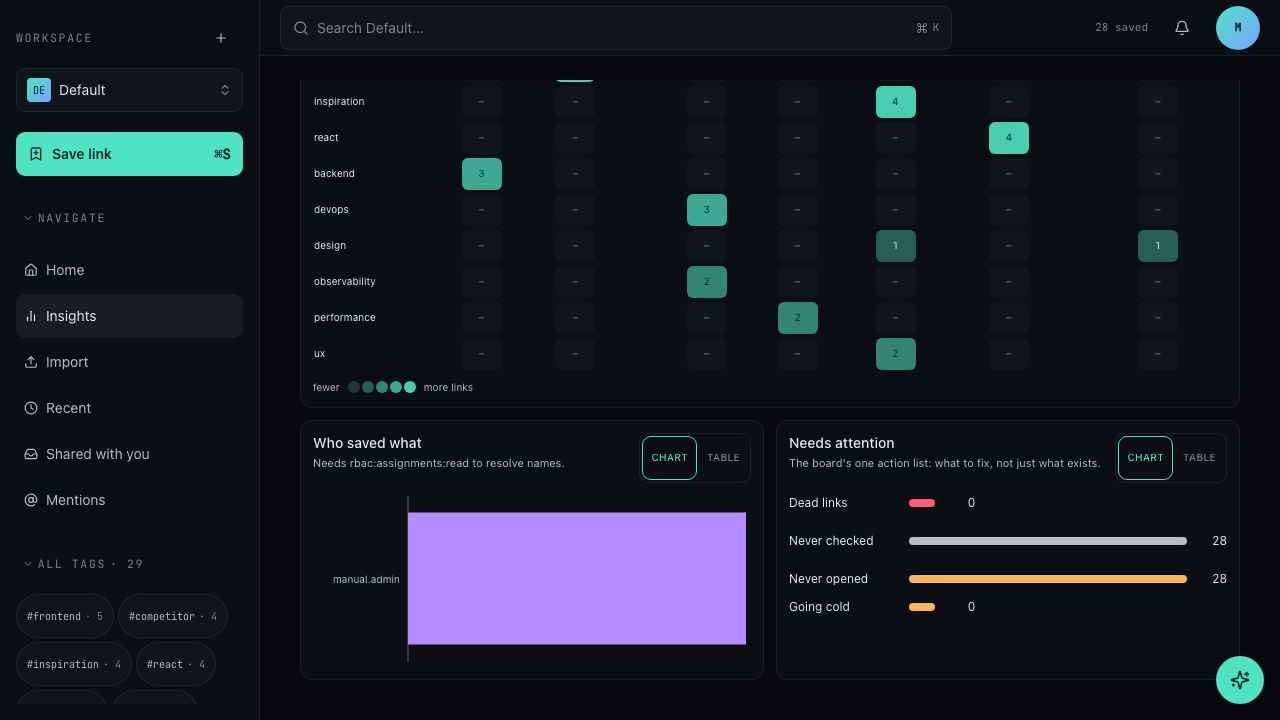
Click a row to filter the board
Clicking a row filters the board to that set. Review each link, then fix or remove it before moving to the next list.
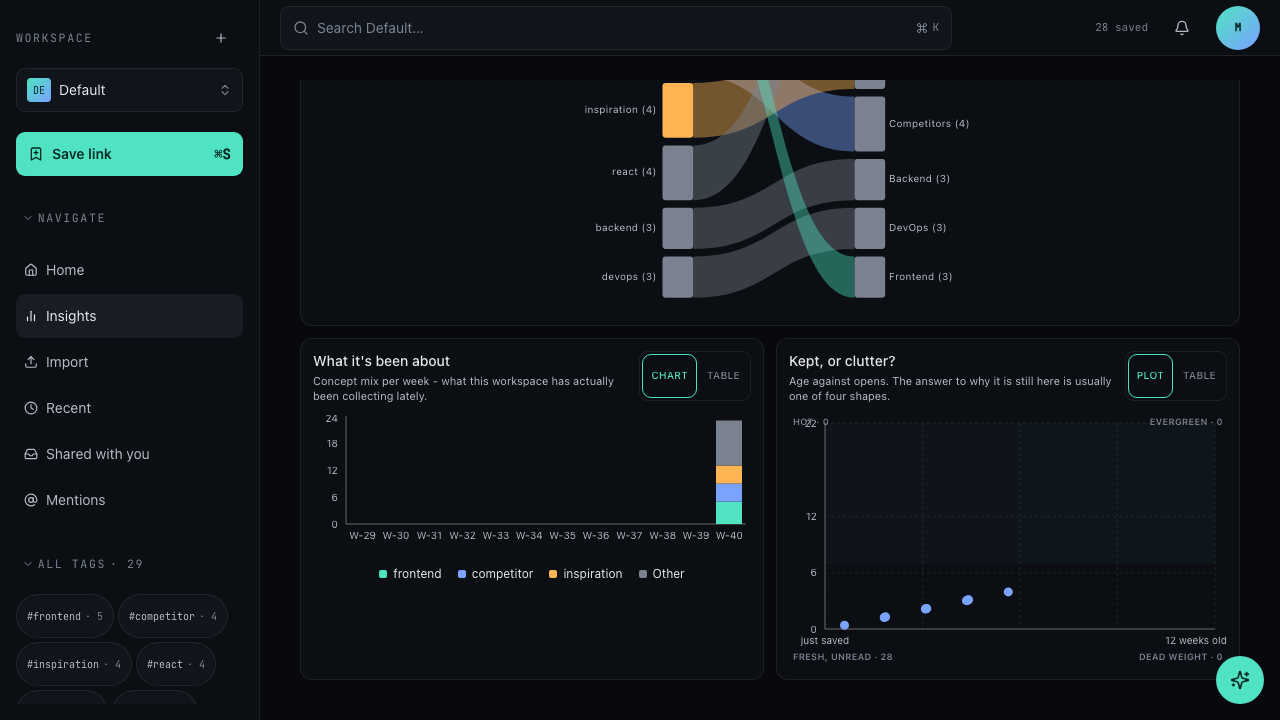
Open the Kept, or clutter? plot
The plot maps every link by age against opens. Each point is one of four shapes: Hot, Evergreen, Fresh, unread, and Dead weight.
What each list means
- Dead links: the target failed when it was last checked. Open each link to confirm it is really gone, then update the URL or delete the bookmark.
- Never checked: the link has not been verified since it was saved. Let the workspace check it, or open it once to confirm it still resolves.
- Never opened: the link was saved but never visited. Re-read it now, or admit it is clutter and delete it.
- Going cold: the link used to see opens but activity has dropped off. Decide whether it is still relevant; archive or delete it if it no longer earns its place.
What each shape means
- Hot: recently saved and opened often. These links earn their keep; leave them alone.
- Evergreen: older links that still see regular opens. Keep them; age alone is not clutter.
- Fresh, unread: saved recently and not yet opened. Give them time, then work through the survivors like the Never opened list.
- Dead weight: old and unopened. These are the strongest cleanup candidates; check them first.
Troubleshooting
- A Needs attention row is empty: that health signal matched no link inside the current workspace and range. Widen the range or switch the workspace to check another scope.
- The board looks stuck on one set: the board is filtered to the row or shape you clicked. Open another row or return to the full board to see everything again.
- Who saved what shows no names: the panel needs the
rbac:assignments:readpermission to resolve member names. Without that permission, names stay hidden for the role; ask an admin to review the role assignments.
Related
- Save a bookmark for the flow that adds links worth keeping
- Create a folder to refile links you decide to keep
- Understand roles and permissions for the permission behind hidden contributor names