Create an API key
API keys let scripts, integrations, and the not24get CLI authenticate to the public API on your behalf. Each key is tied to a workspace.
Create a separate key per integration (CI, local scripts, docs Try-it) so you can revoke one without breaking the others. Keys are shown in full only at creation time; afterward the list shows a prefix you can recognize.
Prerequisites
- You can open Workspace settings for the target workspace.
- You have a secrets manager or password vault ready to store the plaintext key immediately after creation.
- Optional: read
Authentication so you know how the
Authorization: Bearerheader is used.
Steps
Open Workspace settings → API keys
From the workspace switcher, choose Workspace settings → API keys tab.
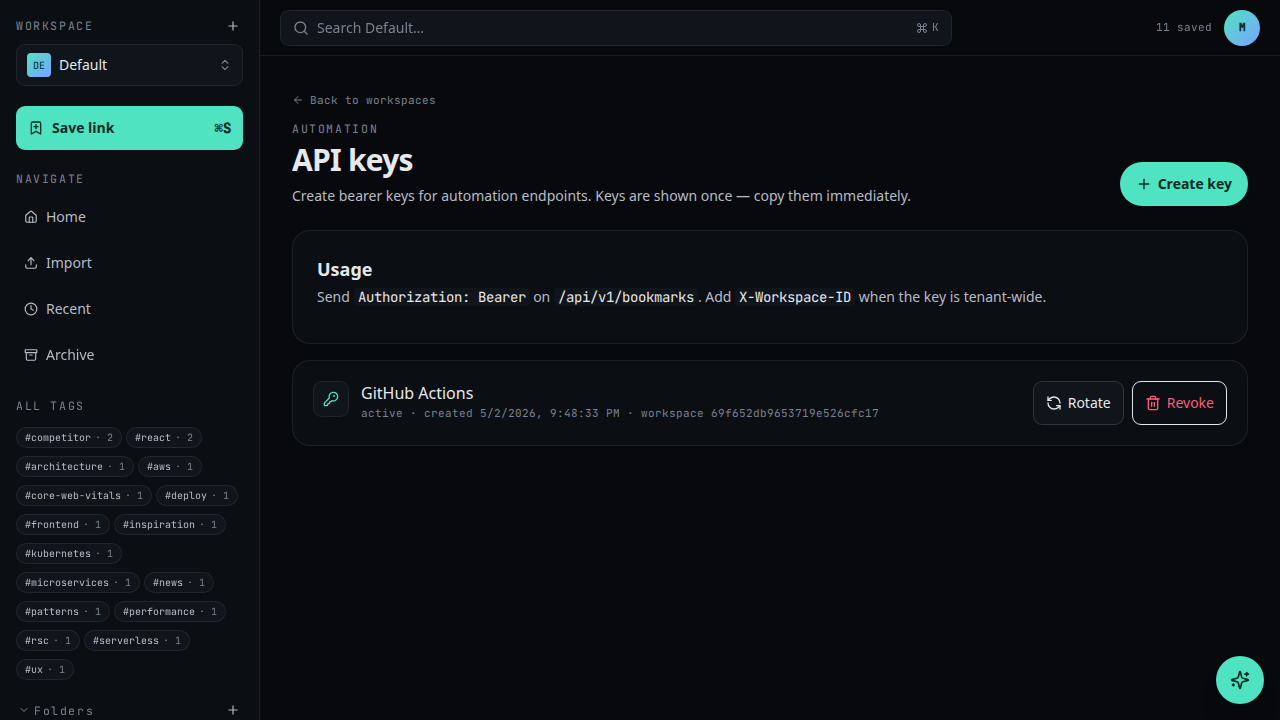
Click New API key
Use the New API key button.Name and scope the key
Give the key a recognisable name (e.g. "GitHub Actions"). Optionally set a default folder it can write to.
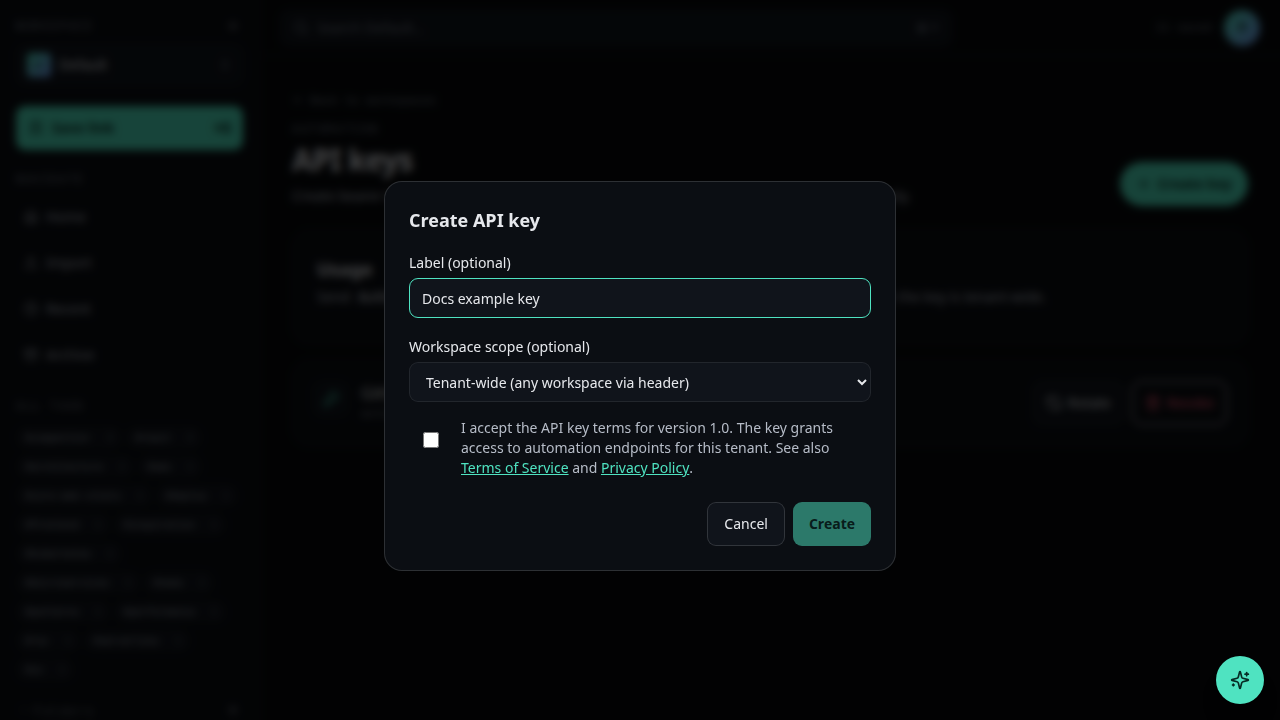
Create and copy the key
Click Create. The full key is shown only once — copy it immediately and store it in your secrets manager.
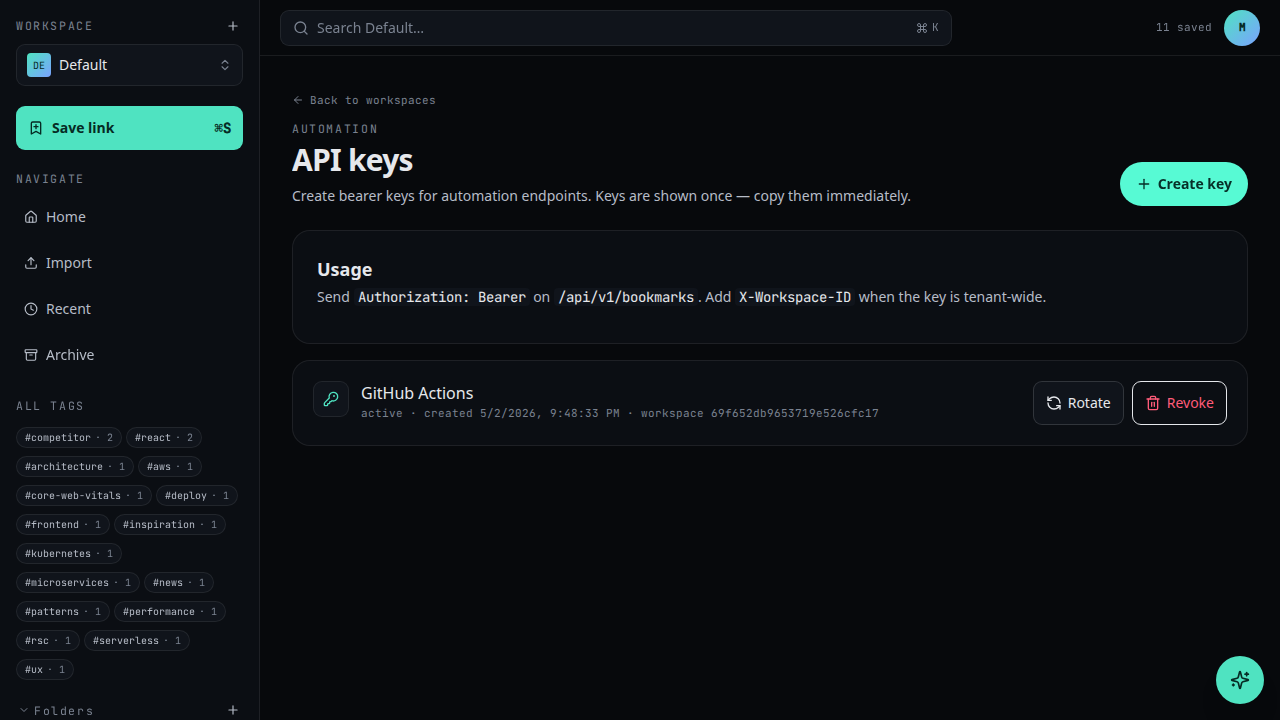
The plaintext key is shown once. After you close this dialog, only the prefix is displayed in the list.
Troubleshooting
- Closed the dialog without copying — you cannot view the secret again. Revoke the key and create a new one.
- 401 unauthorized on first call — confirm you copied the full key, send
Authorization: Bearer …, and that the key was not revoked. See Use an API key. - Wrong workspace data — API keys are workspace-scoped. Create the key
inside the workspace you intend to automate, or pass
X-Workspace-IDas documented in Authentication. - Key may have leaked — revoke it immediately in API keys, rotate secrets in your CI or agent config, then create a replacement key.
Naming and lifecycle tips
Name keys after the system that will use them (ci-production, local-dev,
docs-try-it). Set a reminder to rotate quarterly. When an integration is retired,
revoke its key the same day. Never share one production key across unrelated apps —
blast radius grows every time the secret is copied.
Related
- Use an API key to make your first request
- Authentication for headers and request shape
- Rate limits
- Errors
- API keys reference: /developer-manual/api-reference/api-keys