 By
By 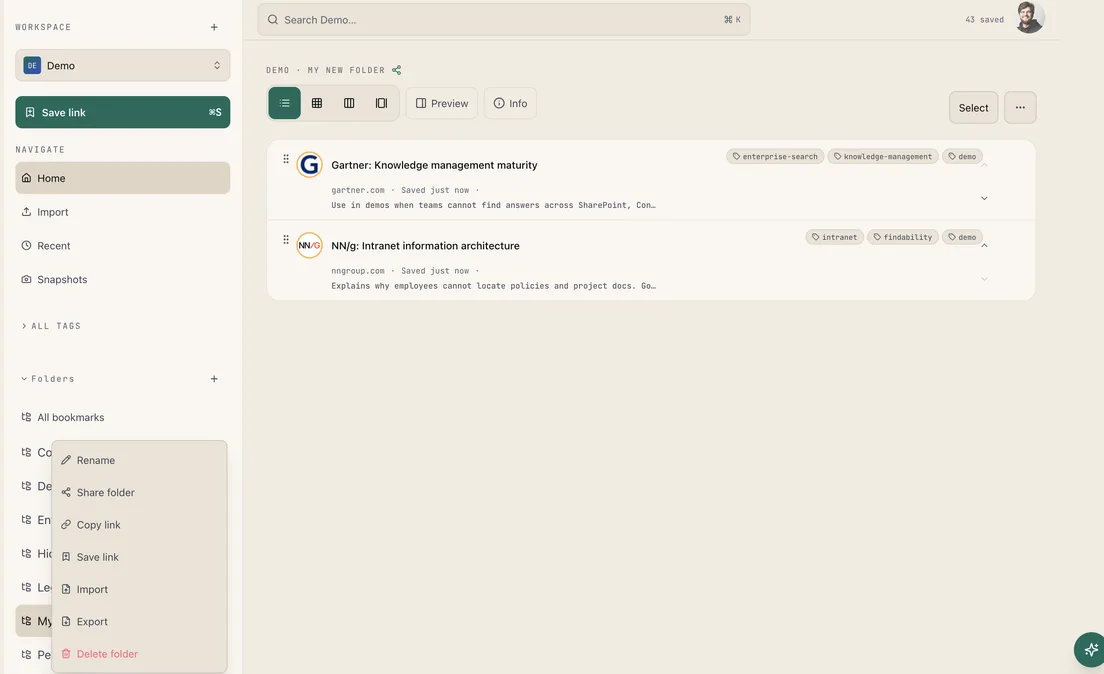
In many alternatives, a folder is only a label. In not24get.me, a folder is a place you act on. Open the ⋯ menu on any folder and you get the full set: Rename, Share folder, Copy link, Save link, Import, Export, and Delete folder. That is how to work with folders when a collection should behave like a small library, not a dead pile of URLs, and when every command should sit next to the folder it affects.
Create, name, and open
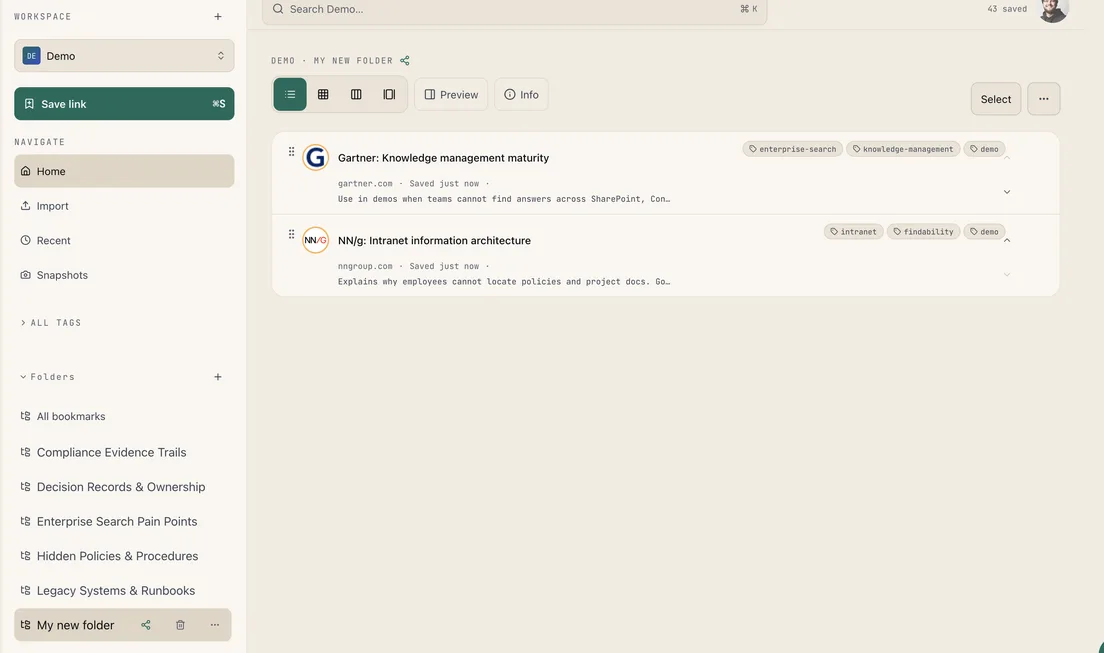
Use the + next to Folders in the sidebar. Give the folder a job name, Compliance Evidence Trails, Decision Records, or a short project title. Rename later from the same menu when the work changes. Names stay unique under the same parent, so two folders do not quietly collide. Open the folder and you land on its own view: notes, tags, and layout controls stay with the collection, not lost in a global unsorted list.
Share and copy without the usual traps
Share folder creates a unique URL. You choose Read or Read & write. Recipients do not need an invite flow to view or edit bookmarks inside that folder. They cannot delete the folder or change sharing settings, only the owner can. You keep ownership and can revoke the link later. Copy link is for deep linking to the folder you already opened. Alternatives often force either a public read-only page or full account invites. Link-based access with a clear permission is the path we designed for.
Save, import, and export in place
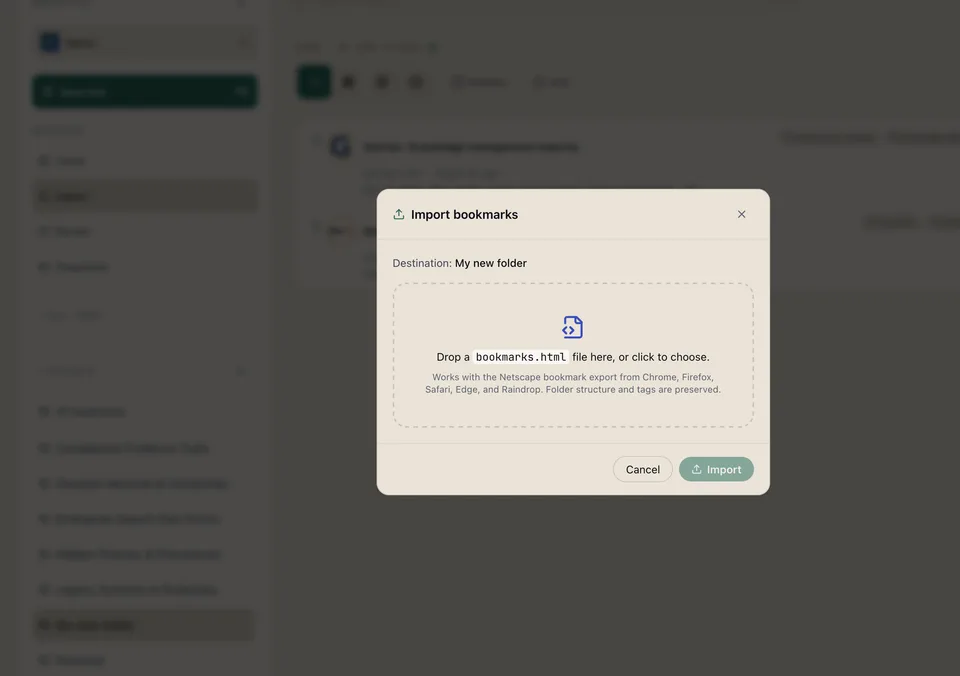
Save link from the folder menu drops a new bookmark into that folder, not into a limbo “unsorted” bucket. Import does the same for migrations: the dialog shows Destination: your folder. Drop a bookmarks.html export from Chrome, Firefox, Safari, Edge, or Raindrop. Folder structure and tags are preserved, so a move from another tool does not flatten years of organization. Export packages the collection when you need a portable copy. Delete folder is available when a collection is done, red and explicit, so it is hard to miss.
Why this stack is hard to match
Alternatives often split these jobs across screens, or they skip them. You might share a collection but not import into it. You might import bookmarks but lose tags. You might rename folders but lack a read-write share link. Some alternatives treat folders as browser-only trees that never leave one profile. In Bookmark Hub, the folder is the unit of work: organize, share, move knowledge in, and take a copy out, without leaving the sidebar, and without forcing every collaborator through a full workspace invite.
For step-by-step screenshots, see the folders guides in the docs. Or start free and create your first folder in under a minute.