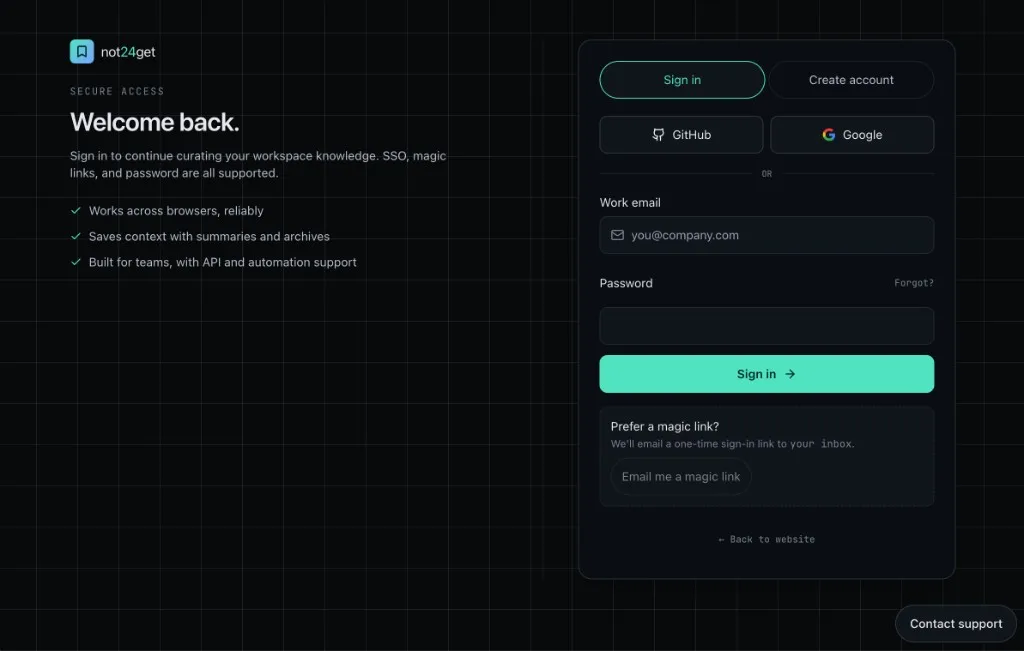
You can still sign in with email and password. Now you also have three faster options: Continue with Google, Continue with GitHub, and a magic link sent to your inbox.
The goal is simple. Get into your bookmarks with less friction, without losing the account, plan, or security settings you already have.
Continue with Google
Google sign-in uses OAuth. You approve not24get.me in your Google account, and we open or create your workspace from your verified Google email and profile.
What you get:
- One-click access when you already use Google on that device.
- No new password to remember for not24get.me.
- Faster first visit — a new account can start on the free plan without a long signup form.
Continue with GitHub
GitHub sign-in works the same way for people who live in GitHub every day. You authorize not24get.me, and we use your verified GitHub email and profile to recognise you.
What you get:
- Sign in with the identity you already trust for work and open source.
- Less context switching between tools you use for code and tools you use for saved links.
- Same workspace continuity — if that verified email already belongs to your not24get account, we link GitHub and keep your plan as it is.
Magic link
A magic link is a one-time, short-lived sign-in link we email to you. Enter your address, open the message, and click the link. No password step on that visit.
What you get:
- Password-free fallback when you do not want OAuth, or OAuth is unavailable.
- Works on any device where you can open your inbox — useful on a shared or new computer.
- Clear security trade-off — treat the email like a temporary key. Do not forward it; request a new link if the old one expires.
Benefits across every new method
These options sit beside email and password. They do not replace it. Together they give you:
- Choice at login. Pick Google, GitHub, magic link, or password — whatever fits the moment.
- One account, one plan. Your subscription stays on the not24get user, not on a single login provider. Switching methods does not reset billing.
- Linked identities. A verified email match can attach a new method to an existing account, so you do not end up with duplicate workspaces.
- MFA still applies. If you enabled multi-factor authentication, you still complete it before a session starts — no matter which method got you there.
- Less friction for teammates. Invite someone and they can join with the sign-in style they already use.
Details of how accounts, linking, and providers work are in our updated Terms of Service and Privacy Policy.
Try it
Open app.not24get.me/login and choose Google, GitHub, or Send magic link. Email and password remain available if you prefer them.